 VECTOR STUDIOS
DPIA First 4–8 Week Discovery for AI Workflow Automation in the UK
AI workflow automation uses agentic pipelines, software that can reason, call tools and hand off decisions to people, to complete multistep business processes rather than following a fixed set of rules. If you are weighing this up, the immediate next step is a focused 4 to 8 week discovery and a draft data protection impact assessment for your highest-value candidate process. Over 40% of UK businesses handling digitised data already use AI tools, so the question is no longer whether to automate but how to do it with proper oversight.
- In 2025 to 2026, 41% of UK businesses handling digitised data used AI, but only around 21% of those integrated it with existing systems.
- Allow 4 to 8 weeks for discovery and 6 to 12 weeks for a narrow prototype, while mapping every callable agent in the DPIA.
- Since February 5, 2026, rules require meaningful human intervention for solely automated decisions that significantly affect individuals; detailed guidance is still pending.
- Knowledge work and IT incident enrichment are often safer first pilots than finance or customer service, where errors can affect payments or relationships.
Vector Studios designs and deploys governed multi-agent workflows, with strategy, implementation, and ongoing support for UK enterprises.
Explore AI Solutions →Table of Contents
- What is AI workflow automation, with a working example
- Why AI workflow automation matters: benefits and the KPIs to track
- Core capabilities and architecture patterns worth evaluating
- High-value use cases to pilot first
- Implementation roadmap: phases, timeline and cost drivers
- Governance and compliance in 2026: UK obligations and practical controls
- How Vector Studios applies orchestration and governance in practice
- How to minimise data exposure in an agentic pipeline
- Common pitfalls in AI workflow automation and how to avoid them
- Testing, monitoring and maintaining AI workflows over time
- Security considerations specific to AI workflows
- How popular AI workflow automation platforms compare
- Build in-house or bring in a specialist?
- Getting started with Vector Studios
- FAQ
- Sources
What is AI workflow automation, with a working example
Traditional automation follows “if this, then that” logic: a fixed trigger produces a fixed output, with no reasoning in between. AI workflow automation replaces or supplements that logic with agents, software components built on large language models or retrieval systems, that interpret unstructured input, make judgment calls and route work to the right next step, including a human when the decision carries risk.
A useful mental model is to map a real process end to end. Take invoice handling:
- An intake agent receives the document, whatever its format, and extracts the structured fields (supplier, amount, line items).
- A classification agent checks the invoice against purchase orders and flags discrepancies.
- A policy agent decides whether the case matches a straightforward payment or needs escalation.
- A human reviewer approves anything above a threshold or anything flagged, closing the loop before money moves.
- A payment agent executes the approved transaction and logs the outcome for audit.
Each numbered step is a sub-agent with a narrow job, and the human review gate sits where the consequence of a wrong decision is highest. This pattern, sometimes called Agentic Process Automation, typically needs to connect into systems you already run: CRM platforms for customer context, ERP systems for financial data, ITSM tools for ticket and incident records, and document stores for source material. The integration layer, not the model itself, is usually where most of the engineering effort goes.
Why AI workflow automation matters: benefits and the KPIs to track
The case for automating a workflow rests on a handful of measurable gains rather than a vague promise of efficiency. Done well, it changes how much work a team can absorb without adding headcount, and how consistently that work gets done.
- Throughput: more cases processed per person per day without a drop in quality.
- Speed: shorter time from request to resolution, particularly where the bottleneck was manual data entry or triage.
- Consistency: fewer judgement-call variations between staff handling similar cases.
- Staff leverage: experienced people spend their time on exceptions and edge cases rather than repetitive steps.
To know whether a pilot is working, track a small set of KPIs before and after: time per case, first-contact resolution rate, cost per transaction and error rate. These four numbers tell you whether the automation is actually faster, cheaper and more accurate, or just different.
41% of UK businesses that handled digitised data reported using AI technologies in 2025 to 2026, and around 21% of those said their tools were integrated into existing business systems, according to the UK Business Data Survey 2026. That integration gap matters: organisations that connect AI tools directly into systems such as finance platforms and CRM report more advanced data practices and scale automation more successfully than those running tools in isolation.
Core capabilities and architecture patterns worth evaluating
Not every workflow automation platform is built the same way, and the architecture choices you make early tend to be expensive to reverse later. A few capabilities are worth scrutinising before you commit.
- Orchestration: how the system coordinates multiple agent types, including language model agents, retrieval agents that pull from your document stores, and code executor agents that run calculations or scripts.
- Connectors and API management: how cleanly the platform integrates with your CRM, ERP, ITSM and document systems without brittle custom glue code.
- Deployment model: cloud, self-hosted or hybrid, each with different trade-offs for data sensitivity, latency and cost at scale.
- Observability and runtime tracing: the ability to reconstruct exactly which agent made which decision, essential for both debugging and compliance.
- Data minimisation per agent: each sub-agent should see only the fields it needs to do its job, not the full customer record by default.
Self-hosted platforms can reduce per-transaction costs significantly at high volume compared with pure usage-based pricing, though they shift more engineering overhead onto your own team, a trade-off worth modelling before choosing a hosting approach.
Latency matters more than it first appears: a workflow that feels instant in testing can slow to a crawl once it is chained across three or four agents and two external APIs. Build in monitoring for step-level latency from day one, not after users start complaining.
High-value use cases to pilot first
Some functions see faster, more measurable returns from AI workflow automation than others, mainly because their inputs are structured enough for agents to handle reliably while still benefiting from human oversight at the right point.
- Finance: invoice triage that extracts data, matches it against purchase orders and routes anything unusual to a human reviewer, with the review gate sized to the transaction value rather than applied uniformly.
- Customer service: automated triage that reads an incoming query, summarises the customer’s history and either answers directly or escalates to a named specialist with full context attached.
- Knowledge work: document ingestion pipelines that index internal policies, contracts or research into a retrieval system, so staff get a grounded answer with citations rather than a generic search result.
- IT and operations: incident enrichment that pulls logs, past tickets and system status into one view the moment an alert fires, paired with a runbook agent that proposes the standard fix for review.
What links these four is the shape of the risk. Finance and customer service both touch money or customer relationships directly, so the human checkpoint sits close to the decision. Knowledge work and IT operations are lower stakes per transaction, which is why they are often the easiest place to start a first pilot: the failure mode is a wrong answer to query rather than a wrong payment.
A sensible selection test for any candidate workflow is whether you can describe, in one sentence, what a wrong decision costs you. If you cannot answer that quickly, the workflow probably is not ready for automation yet, regardless of how repetitive it looks on paper.
Implementation roadmap: phases, timeline and cost drivers
Moving from idea to a production AI workflow typically runs through three phases, each with its own output and its own way of failing if rushed.
Phase 1: discovery and use-case selection (4 to 8 weeks). This phase scopes the candidate process, maps the data involved, identifies stakeholders who own the decision being automated, and sketches an early DPIA so governance questions surface before any code is written.
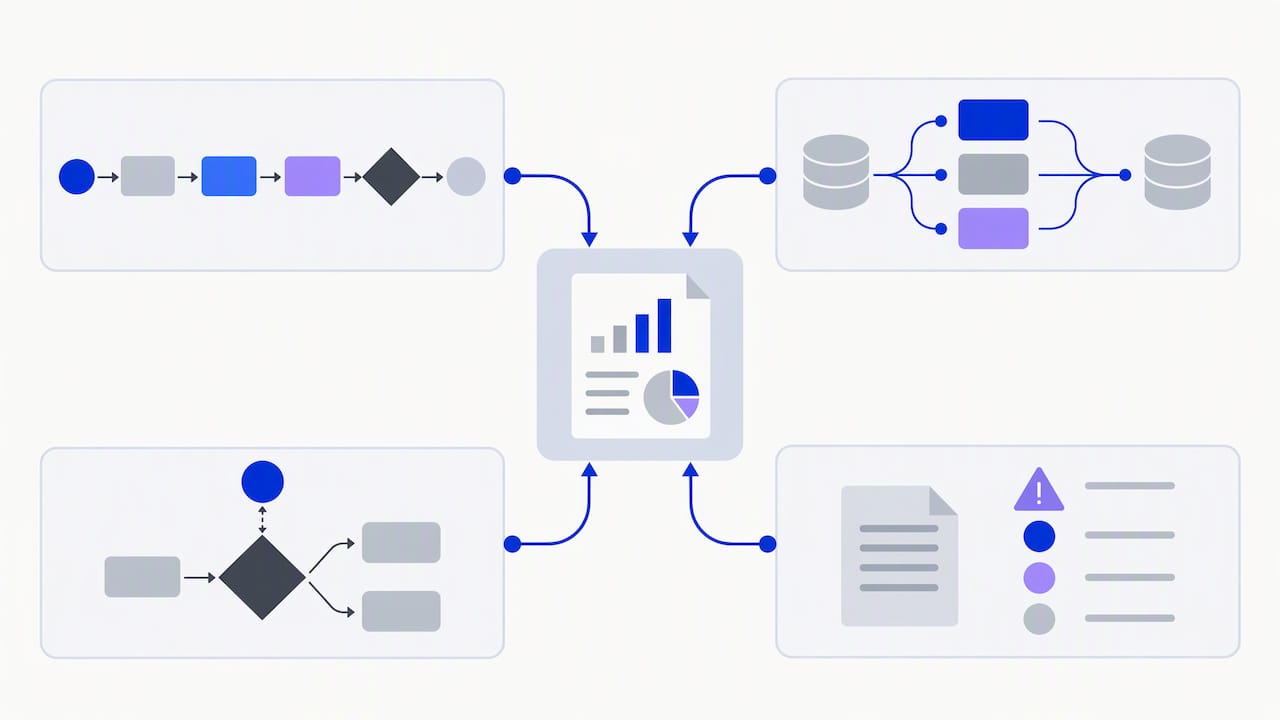
Phase 2: prototype and validation (6 to 12 weeks). Here you build a constrained version of the agentic pipeline, limited to a narrow set of cases, and measure real outcomes against the KPIs set in discovery. This is also where you tune the human-in-the-loop points, often moving the gate earlier or later than first planned once real cases start flowing through.
Phase 3: production, monitoring and governance. Once validated, the workflow moves to production with a defined service level agreement, ongoing monitoring, and cost controls across API usage, hosting and engineering time. NIST guidance recommends treating this as an ongoing governance task rather than a one-off sign-off, with recurring red-teaming and independent evaluation built into the schedule.
A few practical points carry through every phase:
- Involve the people who currently do the work in discovery, not just their managers.
- Keep the first prototype narrow enough to fail safely if something goes wrong.
- Budget for data engineering separately from model or API costs: it is usually the larger line item.
- Revisit the DPIA whenever the orchestrator gains the ability to call a new sub-agent.
Main cost drivers worth estimating early include API usage (which scales with volume and model choice), hosting (cloud versus self-hosted), data engineering to connect and clean source systems, and staff time for both building and ongoing oversight. None of these are fixed costs industry-wide, so model them against your own transaction volumes rather than a generic benchmark.
Governance and compliance in 2026: UK obligations and practical controls
From 5 February 2026, UK GDPR Articles 22A to 22D, substituted in by the Data (Use and Access) Act 2025, set out rules for solely automated decisions that have a significant effect on an individual. These rules require safeguards including the right to meaningful human intervention and clear information about how the decision was reached. The ICO’s consultation on automated decision-making reform closed in May 2026, with a statutory Code of Practice expected in 2027, so the detailed guidance is still settling even as the underlying law is in force.
For any agentic workflow that touches a significant decision about a person—whether that is credit, employment or access to a service—the practical controls are specific rather than general:
- Run a DPIA that covers the orchestrator’s decision logic, not just the individual models it calls.
- Put Article 28 contracts in place for every sub-agent the orchestrator can invoke, including third-party tools called only occasionally.
- Preserve runtime traces so you can reconstruct which agent contributed to any disputed decision.
- Keep a working human-intervention route that a real person can use within a reasonable time.
Operational governance extends beyond the DPIA. NIST’s guidance on generative AI recommends red-teaming and independent evaluation as ongoing activities, often referred to as test, evaluation, verification and validation (TEVV), rather than a pre-launch checklist. Vendor due diligence matters just as much: audit contracts for training-data rights, model update policies, output ownership and sub-processing terms, since a vendor’s own supply chain becomes part of your compliance exposure.
A DPIA for agentic systems should map every step the orchestrator can take, including sub-agents it calls only rarely, which means the roadmap in the previous section needs governance work built into Phase 1 and Phase 2, not added as a final step before launch, according to legal analysis of agentic AI under UK data protection law.
How Vector Studios applies orchestration and governance in practice
We built JARVIS, our proprietary orchestration platform, to coordinate multiple AI agents across both our own game development and the custom systems we build for clients. That dual use means the orchestration patterns, runtime tracing and governance checkpoints we design are the same ones we rely on in our own products, not theory borrowed from elsewhere.
When scoping a client workflow, we map the orchestrator’s full decision logic and the sub-agents it can call, then build human-in-the-loop points around the points of greatest risk. Our AI Integration & Automation work is structured around that same discipline: integration into existing systems, with the compliance groundwork treated as part of delivery rather than an afterthought.
How to minimise data exposure in an agentic pipeline
Data minimisation in an AI workflow is not a single setting, it is a design decision made at every step of the pipeline. Each agent should receive only the fields it needs to complete its specific task, rather than the full customer or case record by default.
In the invoice example from earlier, the classification agent needs the invoice amount and supplier name, but it does not need the customer’s full account history or payment card details stored elsewhere in the same system. Restricting what each agent can see limits the damage if any single step is compromised or misconfigured.
Practical steps that support this include:
- Defining a narrow data schema per agent, reviewed whenever a new sub-agent is added to the pipeline.
- Using retrieval systems that return only relevant document snippets rather than entire files.
- Setting retention limits so logs and traces are kept only as long as needed for audit and debugging.
- Applying runtime allowlists so an orchestrator cannot call an undocumented tool or data source mid-pipeline.
This last point matters more than it sounds. When an orchestrator is free to select tools dynamically, the compliance package has to cover every provider on that allowlist, so keeping the list short and deliberate is what keeps the DPIA and contracts manageable rather than open-ended.
Common pitfalls in AI workflow automation and how to avoid them
Most failed automation projects share a small number of causes, and nearly all of them trace back to scope rather than the underlying technology.
The most common pitfall is choosing a workflow too broad for a first attempt. A process with many exceptions and ambiguous decision points will expose every weakness in the pipeline at once, making it hard to tell whether the model, the integration or the process design is at fault. Start narrower than feels necessary.
A second pitfall is treating the human review gate as a formality rather than a real checkpoint. If reviewers are asked to approve dozens of flagged cases an hour with no time to actually assess them, the safeguard exists on paper but not in practice.
A third is underestimating integration work. Connecting to a CRM or ERP system cleanly, handling edge cases in data formats, and keeping connectors working as source systems update, usually takes longer than building the agent logic itself.
Finally, many teams skip monitoring once a workflow goes live, assuming that validation during the prototype phase is enough. Agent behaviour can drift as underlying models update or as the mix of real-world cases shifts, so a workflow that performed well at launch needs the same scrutiny months later.
The fix for all four is the same discipline: start narrow, size the human checkpoint to the actual decision volume, budget integration time generously, and treat monitoring as permanent rather than a launch-week activity.
Testing, monitoring and maintaining AI workflows over time
An AI workflow is not a one-off build, it behaves more like a system that needs ongoing attention, closer to a live service than a finished piece of software.
Before launch, test against a representative sample of real cases, including the awkward edge cases staff mention anecdotally rather than only the clean examples used in early demos. Independent evaluation of the pipeline’s outputs, separate from the team that built it, catches blind spots the builders will not see.
Once live, monitor at the step level, not just the overall outcome. Runtime tracing, mentioned earlier as a governance requirement, doubles as your main debugging tool here.
Maintenance work includes:
- Reviewing flagged and escalated cases regularly to spot patterns the pipeline is missing.
- Re-testing after any underlying model update, since behaviour can shift even when the prompt and logic stay the same.
- Running periodic red-teaming exercises to probe for new failure modes, in line with the ongoing governance approach NIST recommends.
- Revisiting KPIs quarterly to check the workflow is still delivering the gains it was built for.
Treat the first production month as an extended validation period, with tighter monitoring than you expect to run long-term, then relax the cadence once the pattern of failures is well understood.
Security considerations specific to AI workflows
Beyond data minimisation, AI workflows introduce security risks that do not exist in traditional rule-based automation. The most distinctive is prompt injection, where malicious or malformed input tricks an agent into ignoring its instructions or taking an unintended action, particularly risky when an agent has access to tools that can send money, change records or send messages externally.
A second risk is tool misuse: if an orchestrator can call a code executor or an external API, that capability needs the same access controls you would apply to a human with the same permissions, including logging every call and limiting what each tool can actually do.
A third is supply chain exposure through third-party models and APIs. Each external provider in your pipeline is a dependency with its own security posture, so vendor due diligence, already necessary for the contractual reasons covered earlier, doubles as a security control.
Sensible baseline practices include:
- Validating and sanitising any input that reaches an agent with tool access, not just customer-facing text.
- Applying the principle of least privilege to every tool an agent can call, mirroring the data minimisation approach per agent.
- Keeping an audit trail of every tool invocation, searchable by case, so a security review does not start from zero.
- Isolating agents with destructive capabilities, such as payment execution, behind an explicit human approval step regardless of case value.
How popular AI workflow automation platforms compare
Platforms in this space tend to fall into a few broad categories, each suited to a different starting point rather than one being universally better.
Visual, no-code automation tools prioritise speed of setup and are well suited to teams connecting common software-as-a-service tools without heavy engineering involvement. They are usually priced on a usage or task basis, which keeps costs predictable at low volume but can grow quickly at scale.
Self-hosted and open-source orchestration frameworks give teams more control over data residency and per-transaction cost, trading that for more engineering overhead to run and maintain the infrastructure. Cost comparisons between self-hosted and API-based platforms show the crossover point usually arrives once transaction volume is high enough that usage-based pricing outweighs the engineering cost of running your own instance.
Enterprise platforms built around existing CRM or ERP ecosystems offer the deepest native integration with systems you may already run, often at the cost of flexibility outside that ecosystem.
Custom-built multi-agent systems, designed around a specific workflow rather than a general-purpose tool, tend to suit organisations with sensitive data, complex integration requirements or a process too specific for an off-the-shelf platform to handle well. This is the category our own orchestration work at Vector Studios sits in, built for cases where a generic platform cannot match the governance and integration depth a specific workflow needs.
Build in-house or bring in a specialist?
The decision usually comes down to in-house ML engineering capacity, how sensitive the data is, and how fast you need results. Build in-house when the process is core to your product and you already have the engineering depth. Bring in a specialist when integrations are complex, governance expertise is thin, or speed to a working pilot matters more than owning every line of code.
Getting started with Vector Studios
If you need help scoping or building any of this, our services cover AI Strategy & Consulting, Custom Model Development, AI Integration & Automation, and Ongoing AI Support, each priced against your specific engagement rather than a fixed menu. The approach applies orchestration and governance discipline to client workflows, from initial discovery through to production monitoring.

Get in touch through our services page for a scoping conversation, and we will help you work out which workflow is the right place to start.
FAQ
A common example is invoice processing: an agent extracts data from the document, a second agent checks it against the purchase order, a human reviews anything flagged, and a final agent executes approved payments. Each step hands off to the next, with the human gate placed where a wrong decision would cost the most.
Jira is primarily an issue and project tracking tool with built-in rule-based automation for things like status changes and notifications. It is not an AI-driven agentic workflow platform in the sense covered here, though it can serve as an integration target for an ITSM-focused AI workflow.
While exact steps vary by process, a common shape is: intake and data extraction, classification or triage, a decision or routing step, human review for flagged or high-value cases, and execution with logging for audit. Governance work, including a DPIA, should run alongside these steps rather than after them.
Common examples include invoice processing, customer query triage, document summarisation and retrieval, IT incident enrichment, and automated runbook execution for routine fixes. Each benefits from a human-in-the-loop checkpoint sized to the risk of the decision involved.